
Surf Guide
Verifying your PayPal Account

Verifying your Paypal Account is an important step and will ensure that you continue to receive the earnings that you worked so hard for.
Step 1:
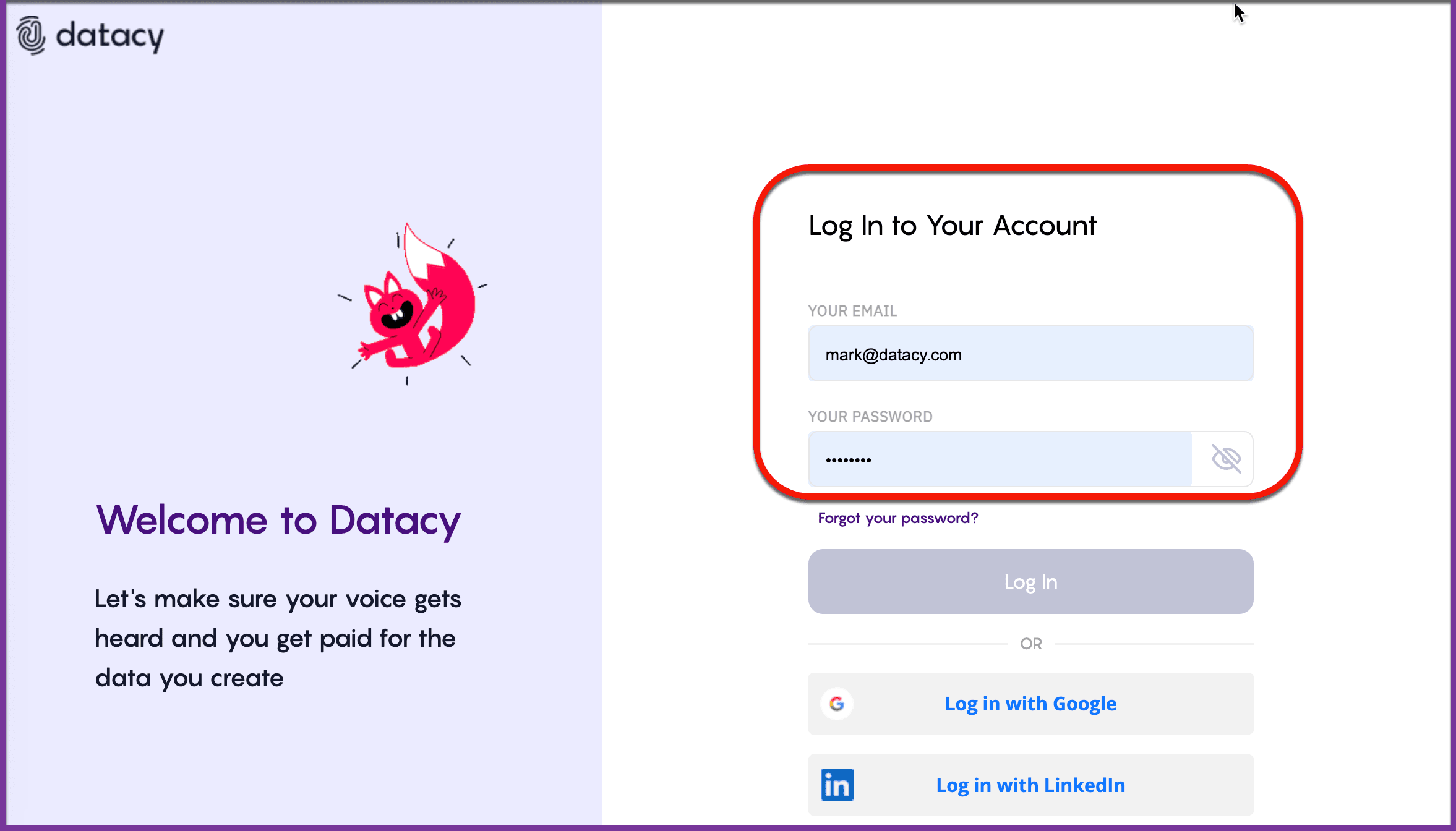
Log into your Surf Account via the Surf Extension.
Step 2:
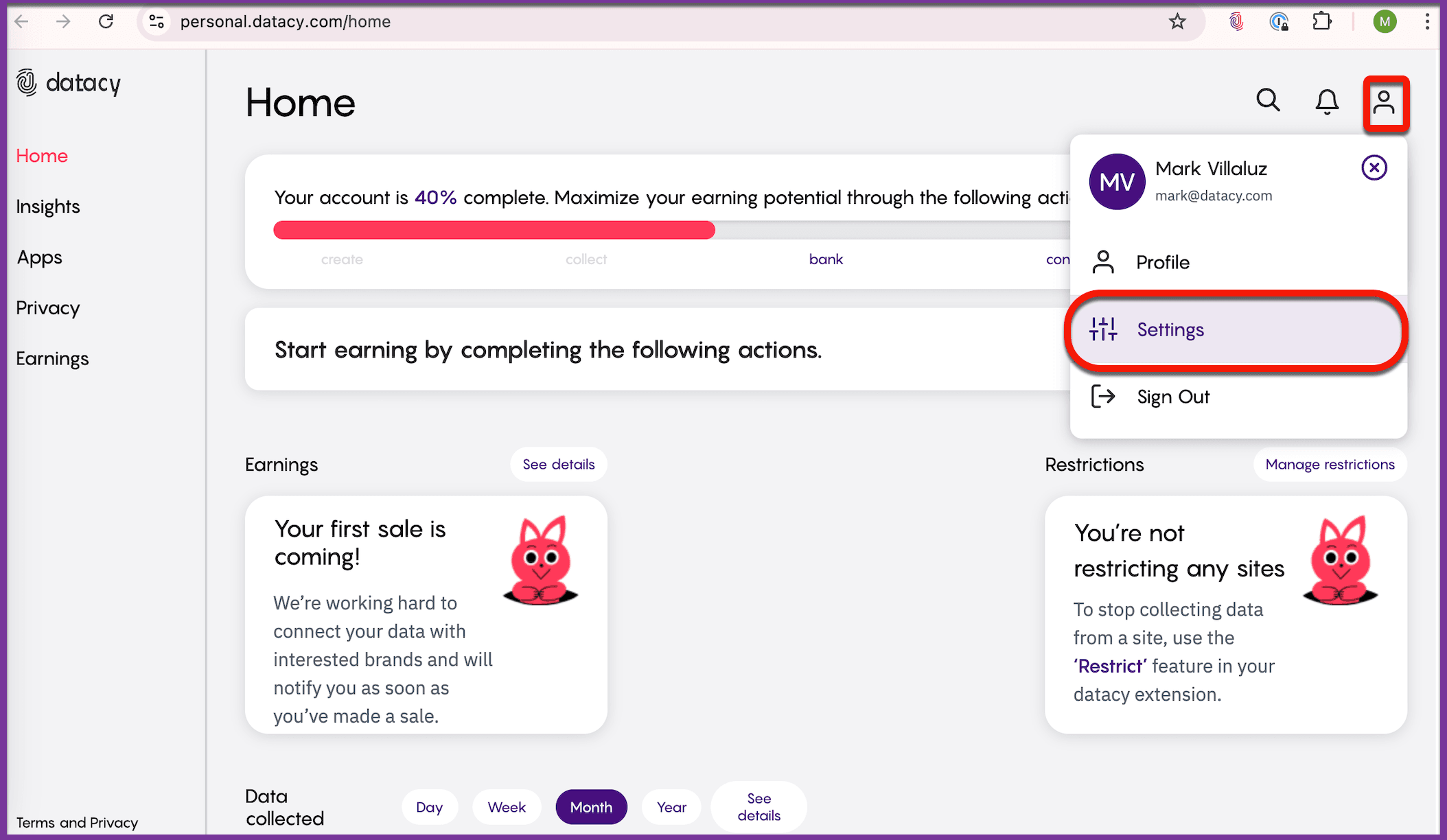
Head to the Dashboard: You’ll find it at the bottom-right of the Extension. Open your profile and click on the Person icon at the top-right of the dashboard. Select “Settings” from the drop-down menu, then click on Payment Information.
Step 3:
Click the the disconnect button next to PayPal.
Step 4:
Reconnect your PayPal account, then, jump back into your Surf settings and follow the reconnection instructions.
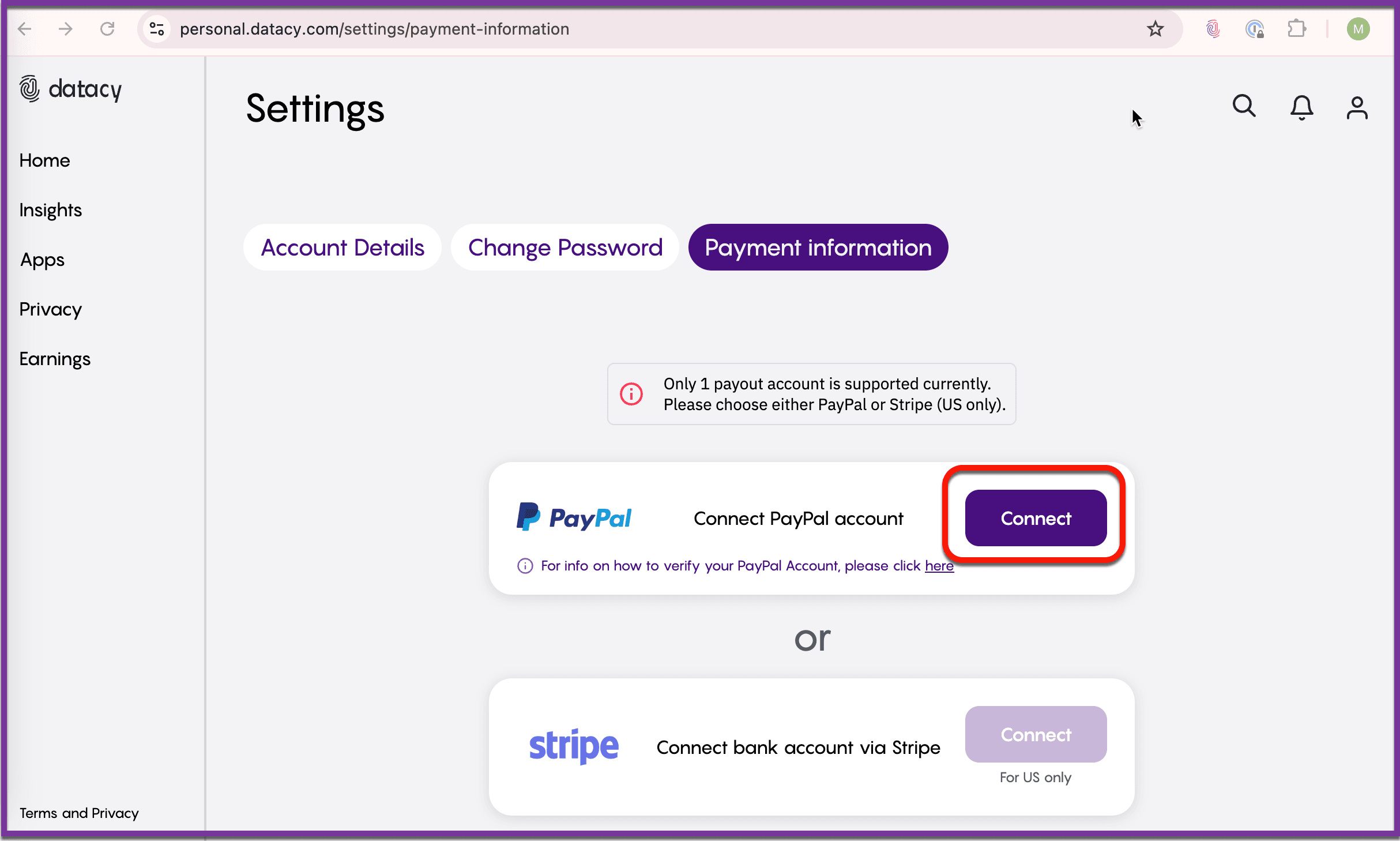
You may also need to reconnect your bank with PayPal: Log into PayPal and navigate to ‘Wallet’. Select ‘Link a bank account’ and follow the simple steps to add your bank details. Complete PayPal’s verification process to finalise things.
Should you have any questions or suggestions, please get in touch with the Surf Customer Support Team by sending an email to [email protected].