
Surf Guide
How To Request your Data from Tiktok

Requesting your data from TikTok is a straightforward process. Here’s a step-by-step guide to help you download a copy of your data.
Step 1: Open TikTok and Go to Your Profile
- Open the TikTok app on your mobile device.
- Tap on the Profile icon at the bottom right corner.
Step 2: Access Privacy Settings
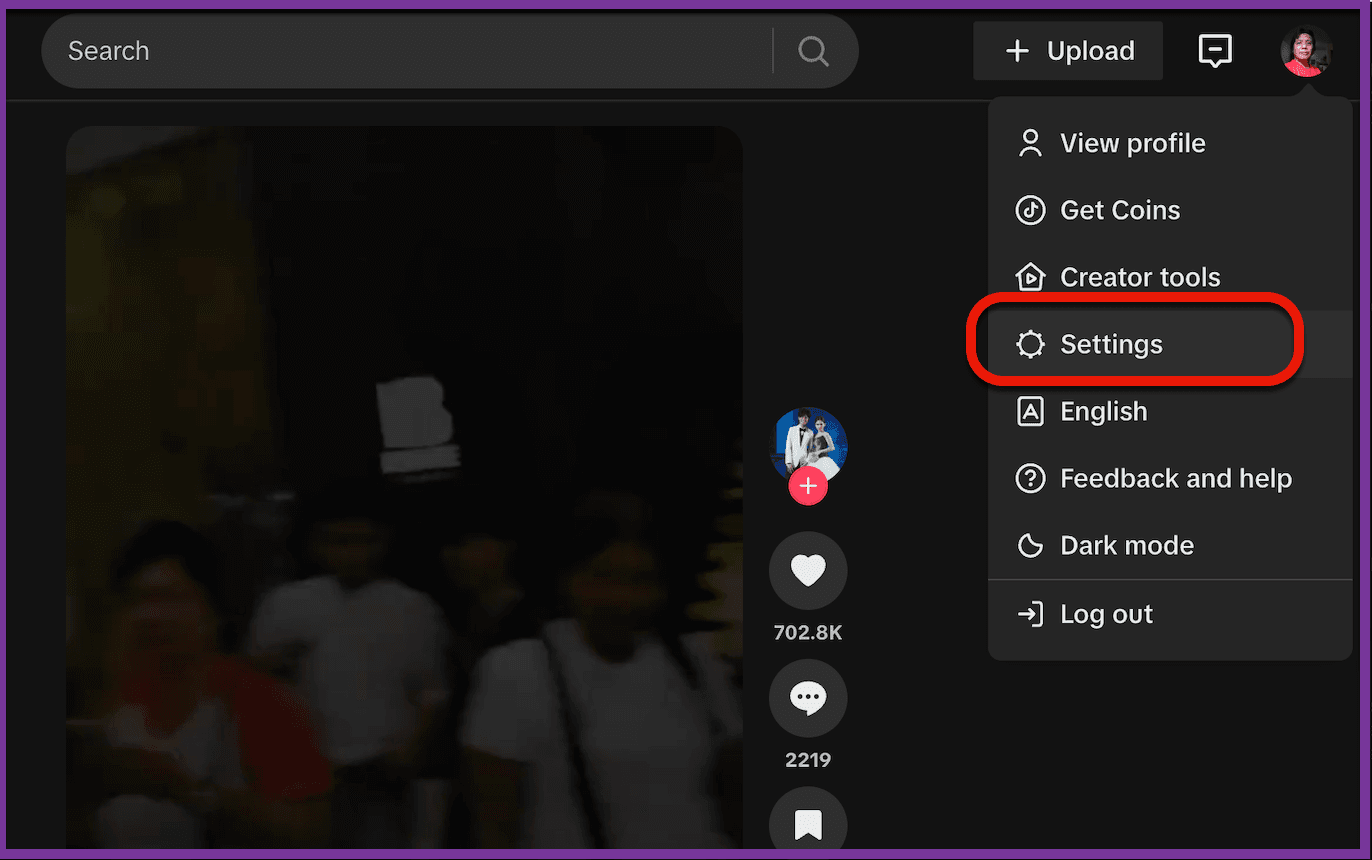
- On your profile page, tap the three horizontal lines in the top right corner to open the menu.
- Select Settings from the menu options.
Step 3: Find and Request Your Data
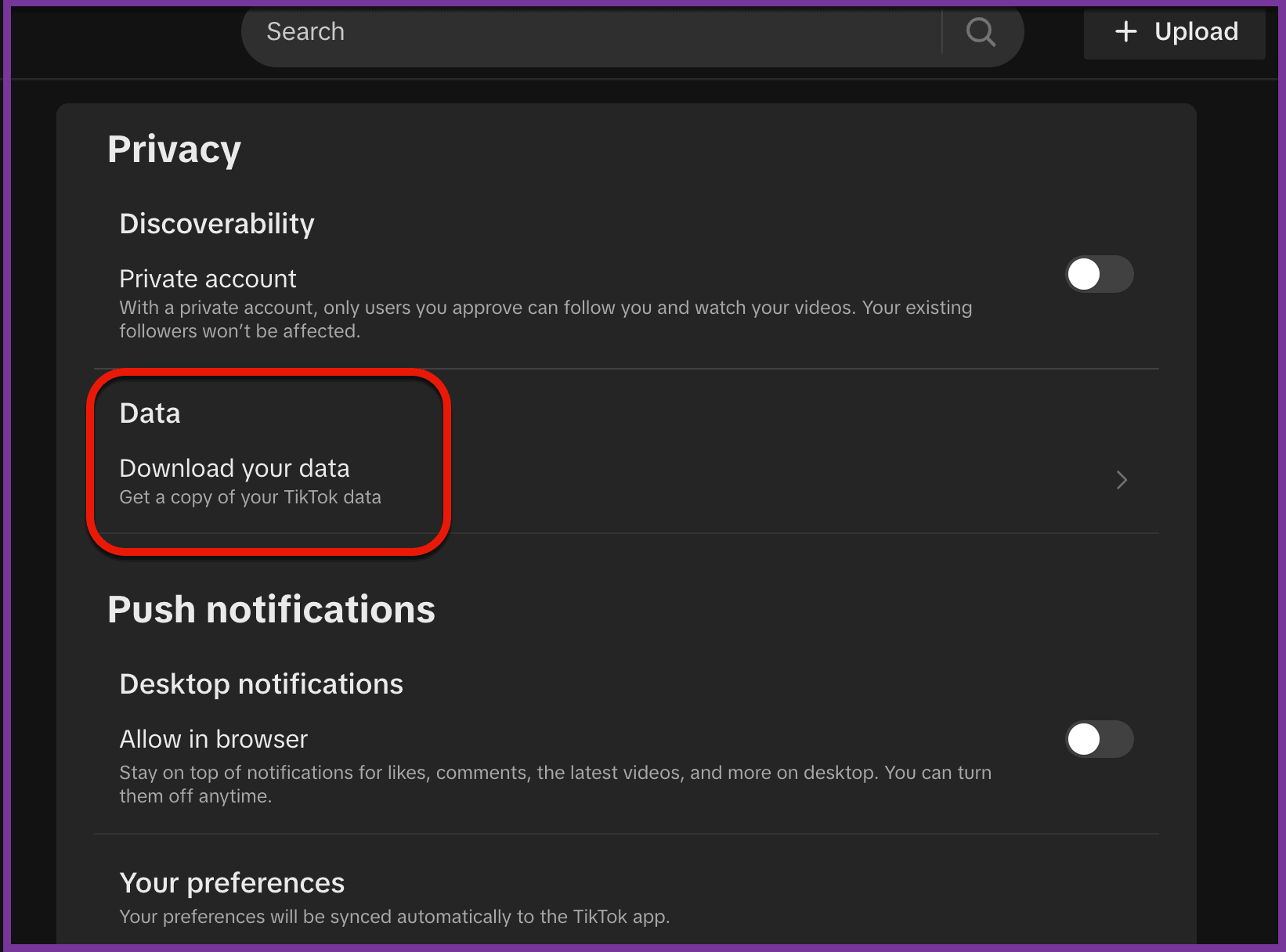
- In Settings, scroll down to Account and tap on Download your data.
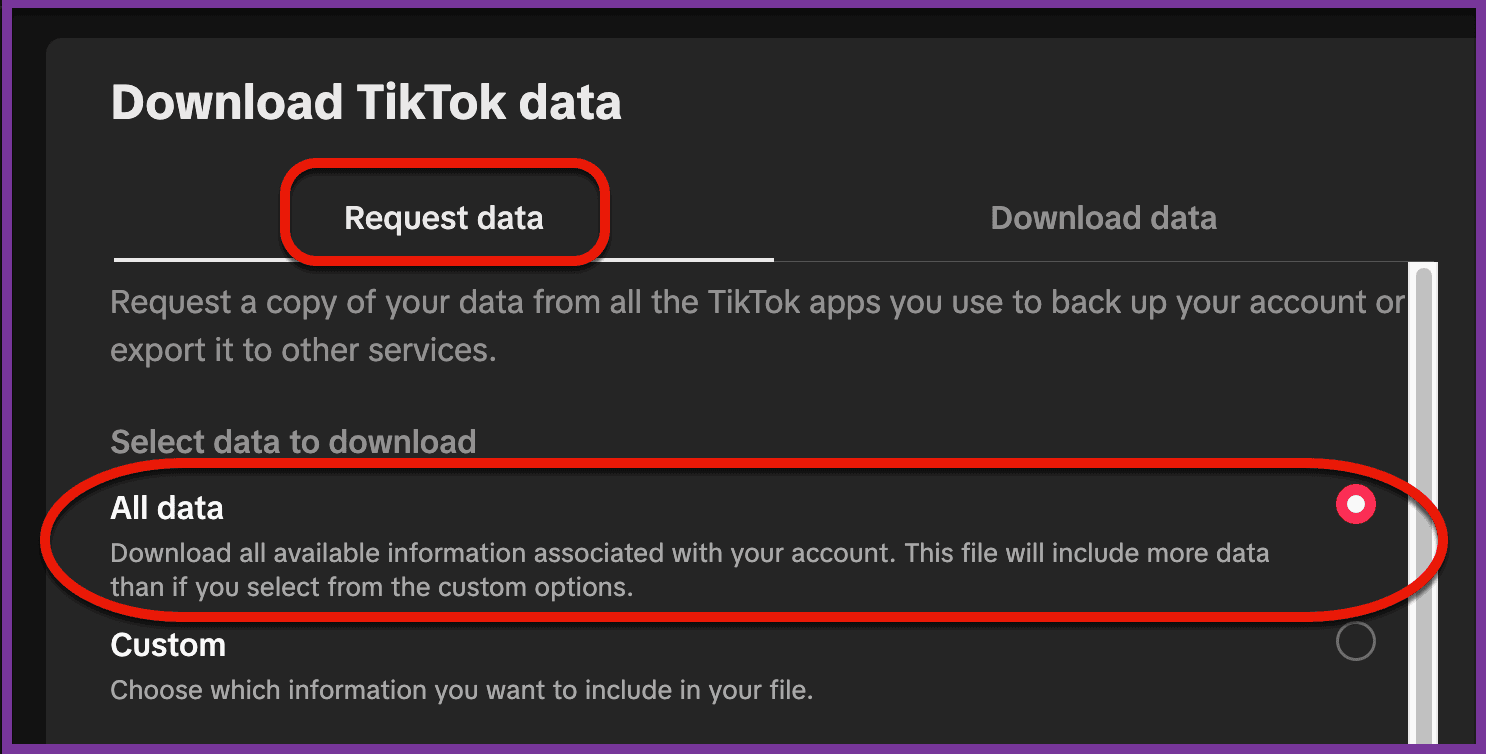
- Choose Request data at the top of the screen.
- Select All Data.
Step 4: Choose the Data Format
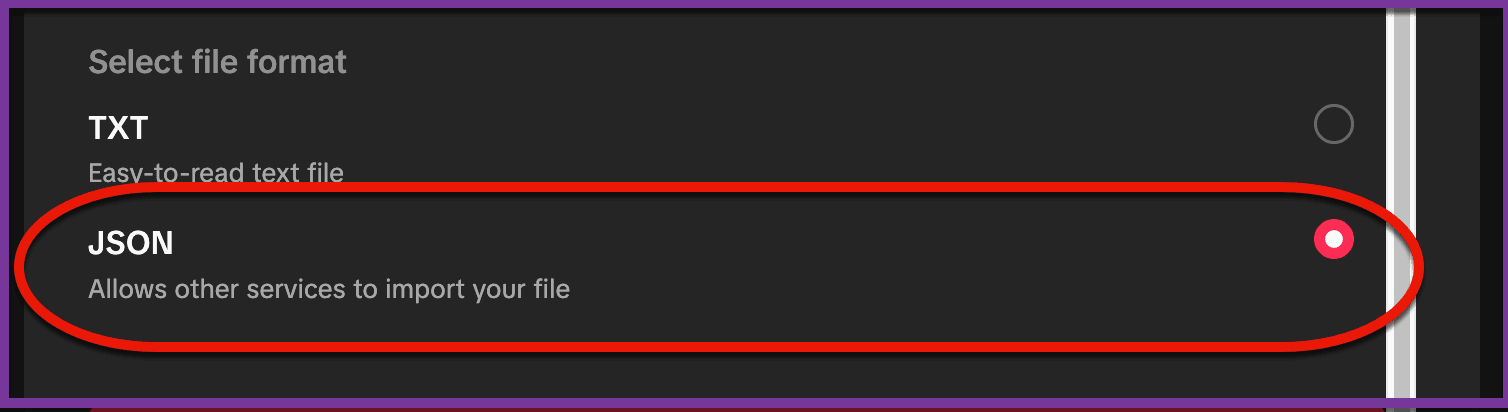
- TikTok provides two format options: TXT (text) and JSON.
- TXT format is easier to read in plain text.
- JSON format is ideal if you need to upload the data into another platform.
- Select the JSON format.
Step 5: Wait for Your Data to Be Processed
- TikTok will begin processing your data request. This may take up to a few days.
- You can track the status of your request under the Download data tab within Download your data.
- Once TikTok has prepared your data, you’ll receive a notification.
- Go back to Download data and select Download.
- Your data file will be saved to your device.
Things to Remember
- Data Access Window: The data file will only be available for a few days, so download it as soon as you’re notified.
- Data Size: Depending on your TikTok activity, the file size may vary. Ensure you have enough storage space on your device.
Should you have any questions or suggestions, please get in touch with the Surf Customer Support Team by sending an email to [email protected].