
Surf Guide
How to Manage your Data Preferences

Data Privacy and Control
At our core, we believe in empowering you to have full control over your personal information. You retain the right to decide exactly what data is collected and how it is shared with our brand partners. Rest assured, we are committed to protecting your privacy and will never collect, access, use, modify, or share your data without your explicit consent. Your trust is paramount to us, and we prioritize transparency and security in all our data practices.
Managing Your Data Preferences
To enhance your control over data collection and protect your privacy, you have the option to restrict data collection from specific sites. Follow these simple steps to manage your data preferences:
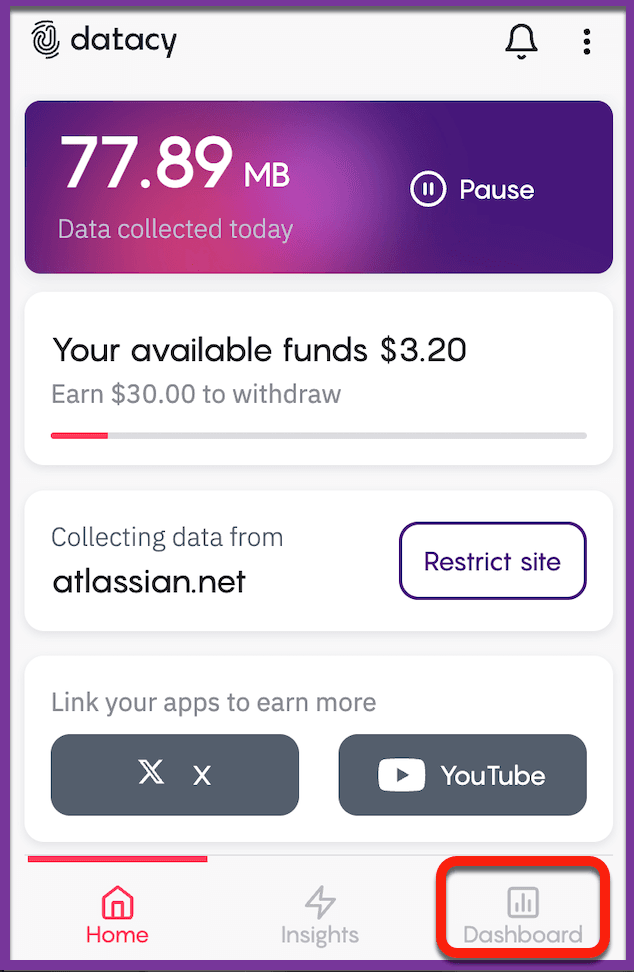
Step 1: Open the extension and click on the “Dashboard” located at the bottom right corner.
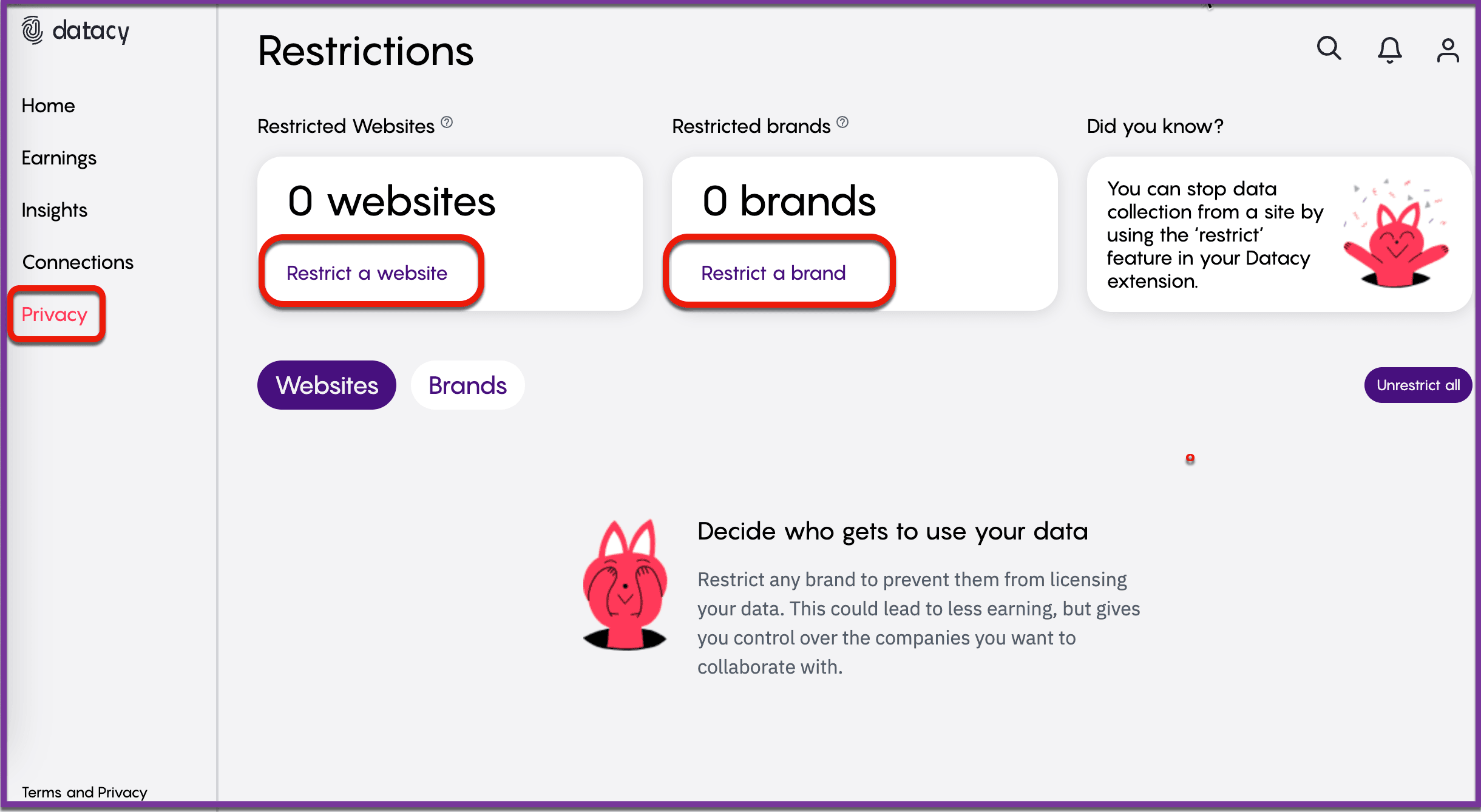
Step 2: In the Dashboard, select “Privacy” from the menu on the left side to access your privacy settings.
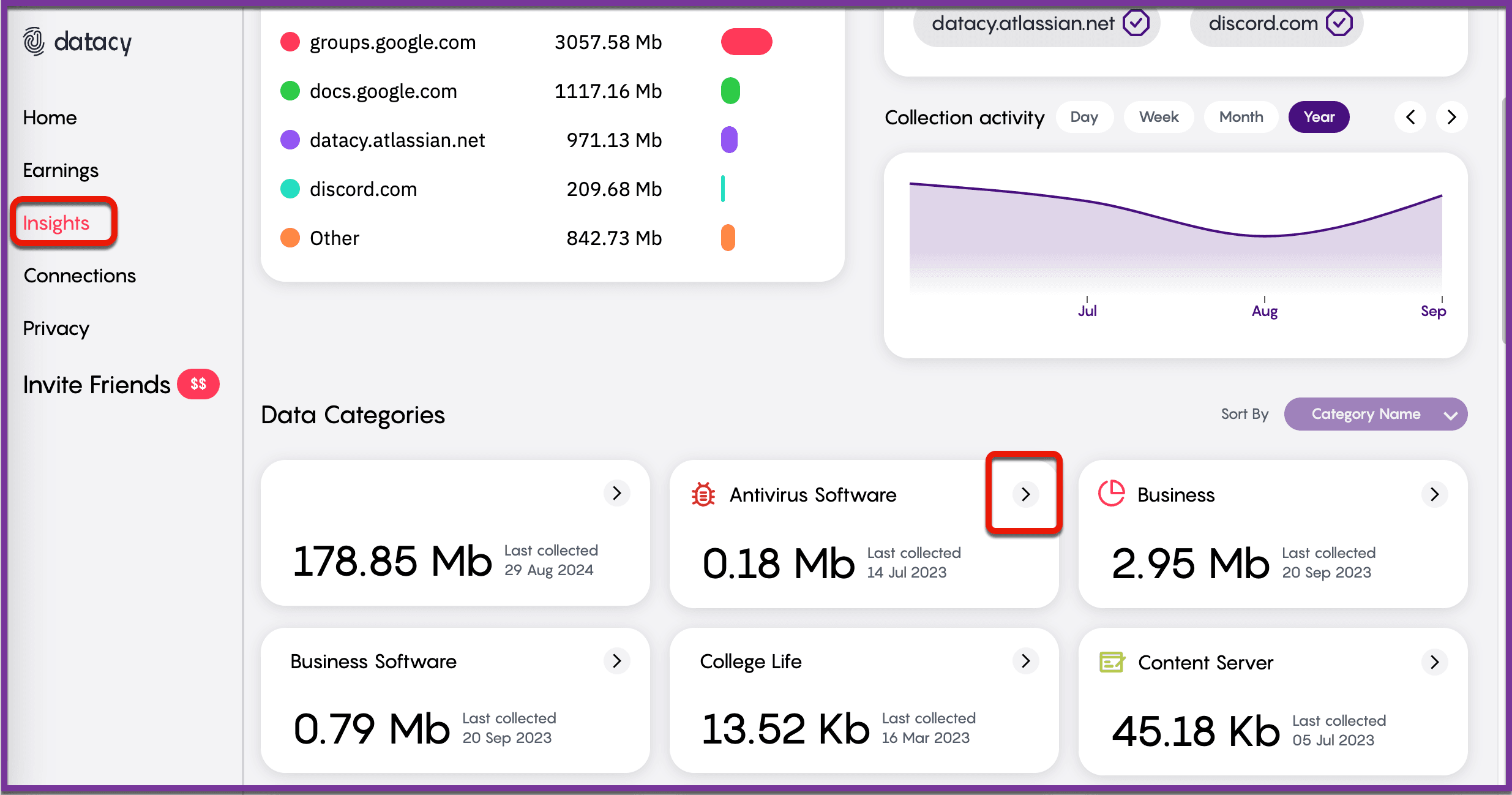
Step 3: If you wish to delete specific data that has already been collected, go to the “Insights” section, located just above “Privacy.” Here, you can scroll down to view different data categories. Click on the arrow next to the category you want to manage for more details.
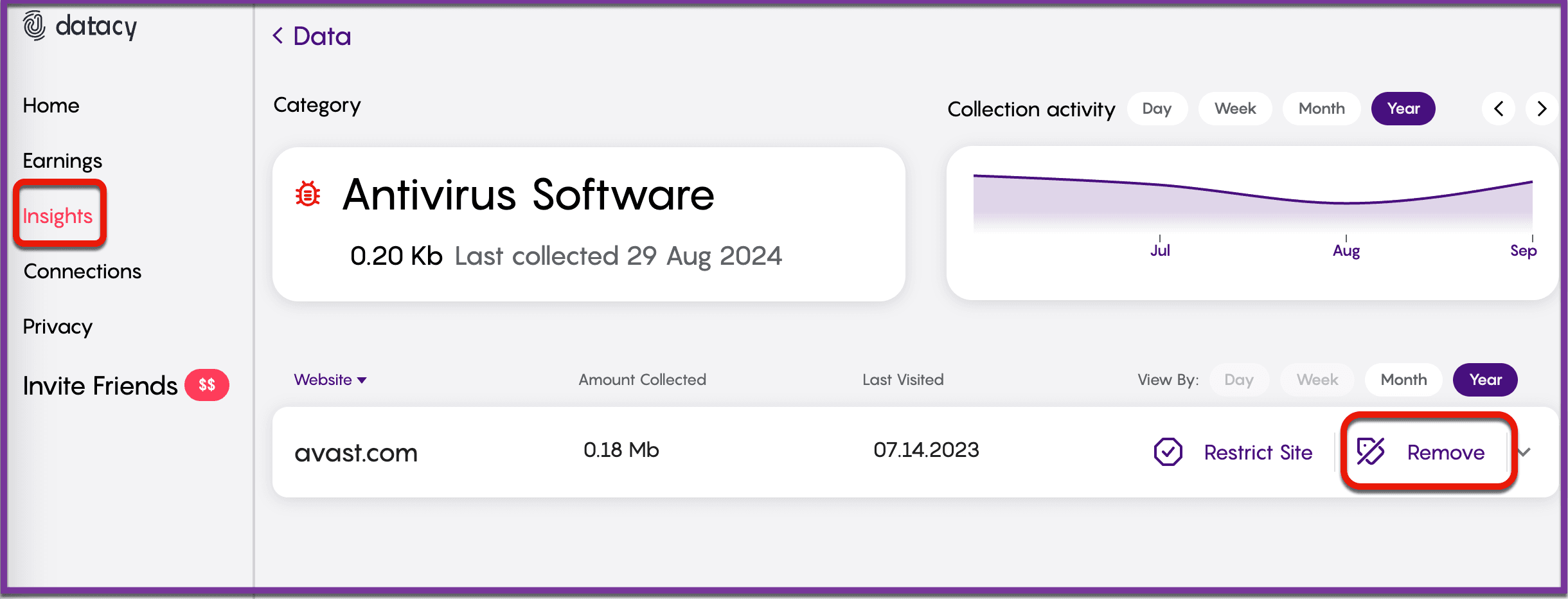
Step 4: To remove data associated with a particular site, simply click “Remove” next to the specific entry.
By following these steps, you can easily manage your data and maintain the privacy standards that matter most to you.
Should you have any questions or suggestions, please get in touch with the Surf Customer Support Team by sending an email to [email protected].