
Surf Guide
How to Connect your Social Media Apps

Connecting your social media apps to the Surf Chrome Extension is a great way to increase your data collection, which can lead to more opportunities to earn by matching with brands interested in consumer insights. By linking your supported social media accounts, such as YouTube, X (formerly Twitter), and Reddit, you enable Surf to gather valuable data every time you use these apps on your mobile device. This data is then used to help brands understand consumer behavior while enhancing your earning potential.
It’s important to note that all data collected is fully anonymized before it is shared with any third party, ensuring your privacy and security.
Steps to Connect Your Social Media Apps:
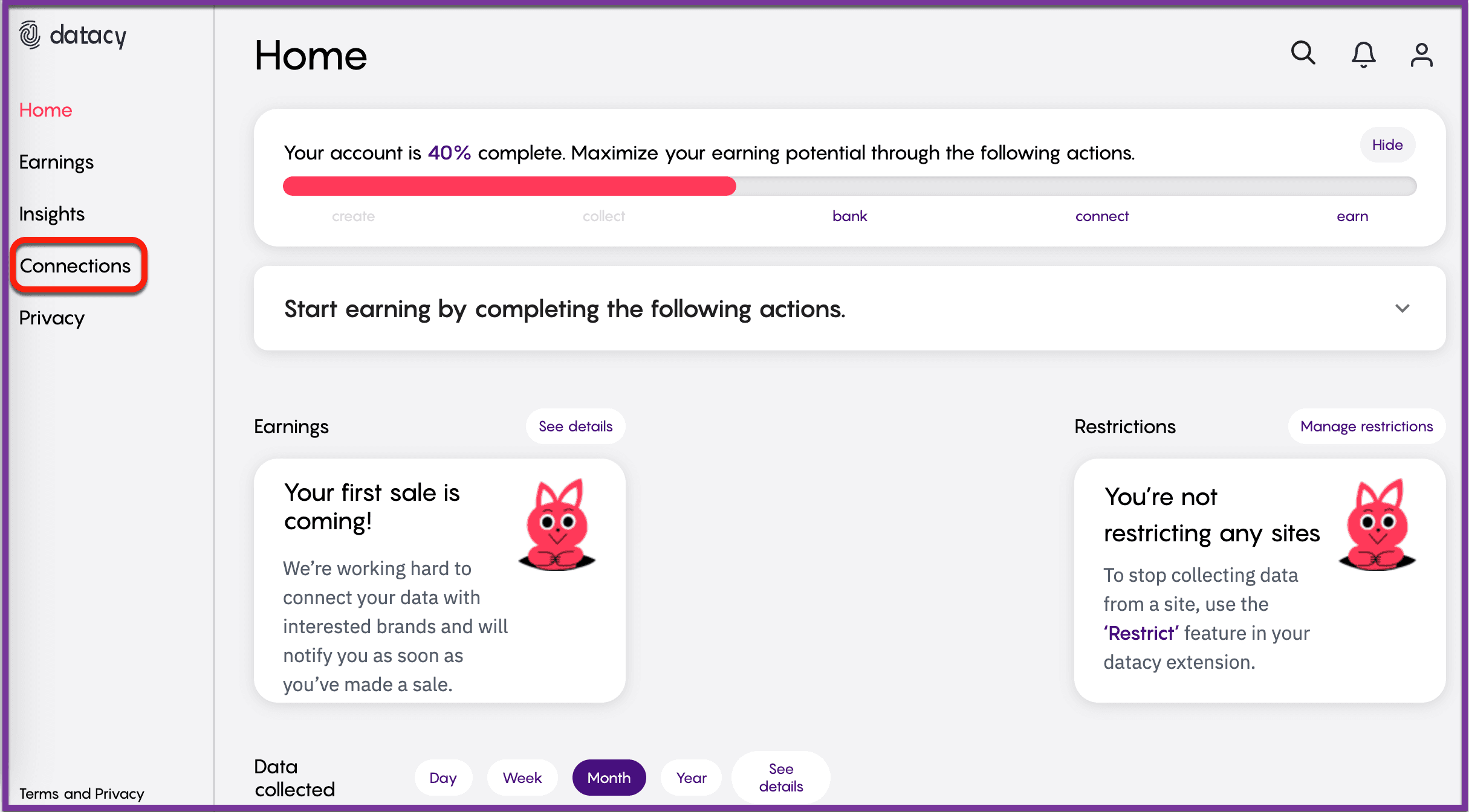
Step 1: Access Your Dashboard: Go to your Surf dashboard at your connections page and click on the “Connections” tab located on the left side of the page.
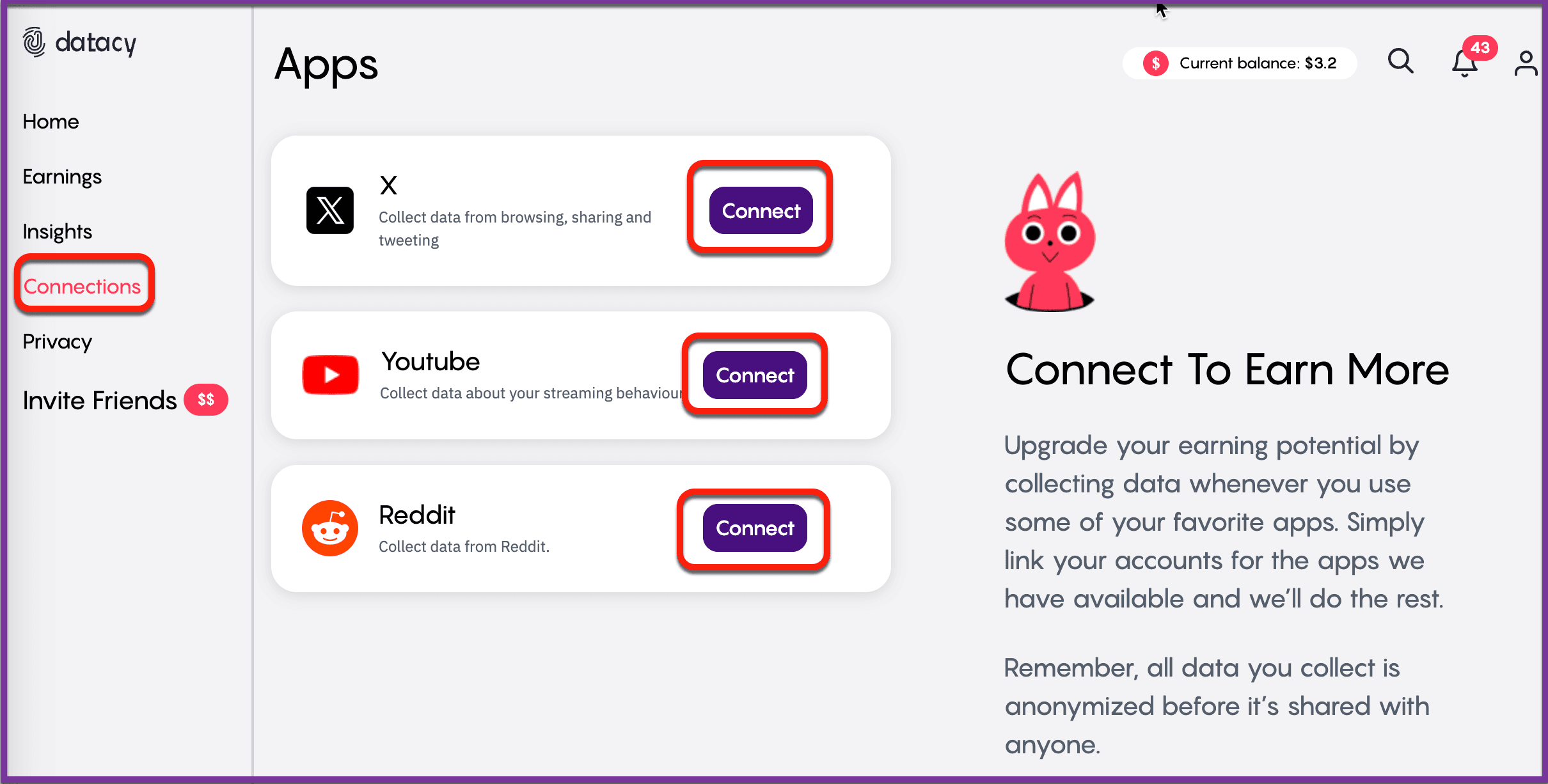
Step 2: Select an App to Connect: You will see a list of supported social media apps. Choose the app you want to connect by clicking the “Connect” button next to it.
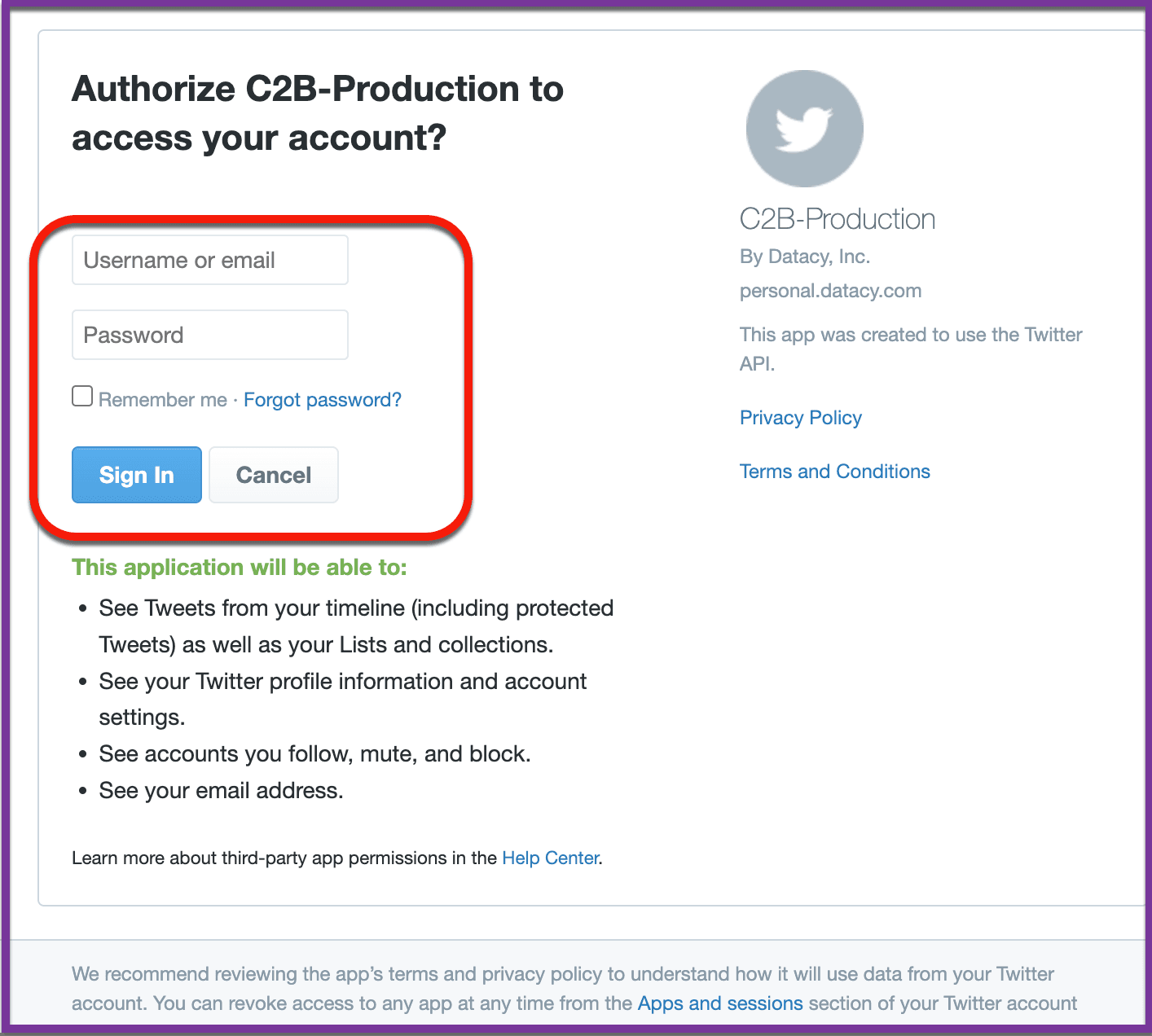
Step 3: Enter Your Credentials: A new page will prompt you to enter your login credentials for the selected app. Fill in your details to proceed.
Once your social media app is connected, Surf will automatically collect data whenever you use the app, enhancing your earning potential through seamless integration.
By following these steps, you ensure that you are maximizing your data collection efforts and taking full advantage of the earning opportunities Surf provides.
Should you have any questions or suggestions, please get in touch with the Surf Customer Support Team by sending an email to [email protected].