
Surf Guide
Getting Started

Surf is a Google Chrome Extension for your laptop or desktop that decodes every relevant click, view and post to unlock what’s driving online shopping decisions. You can download the Surf Chrome Extension, here.
If you reside outside the U.S. or U.K. and are interested in using Surf, you can join our waitlist. We’ll notify you when our services become available in your region.
Step 1:
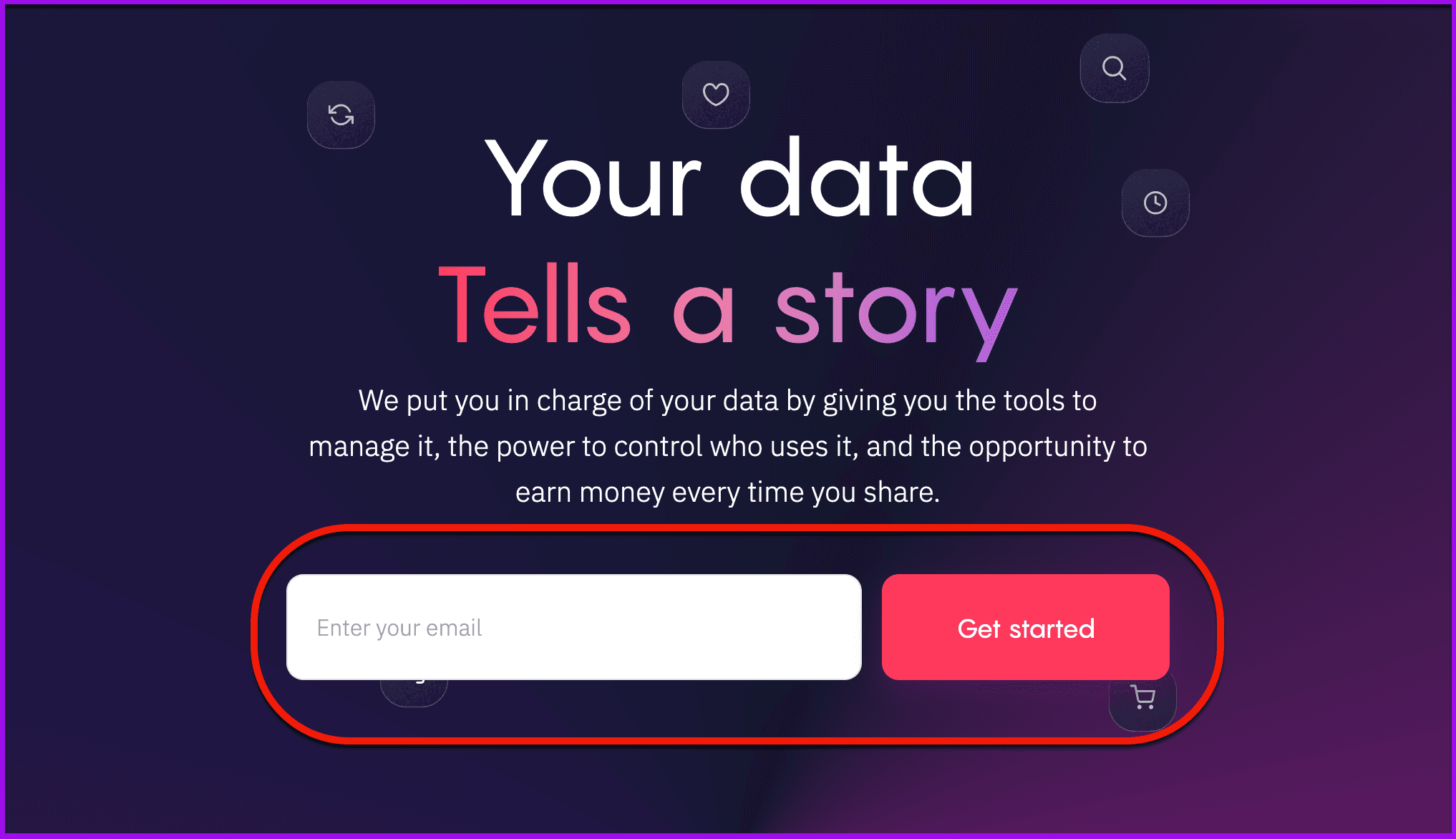
To get started, go to Get Paid for Your Data | Surf to enter your email address and click on the get started button to receive the link to download the extension.
Step 2:
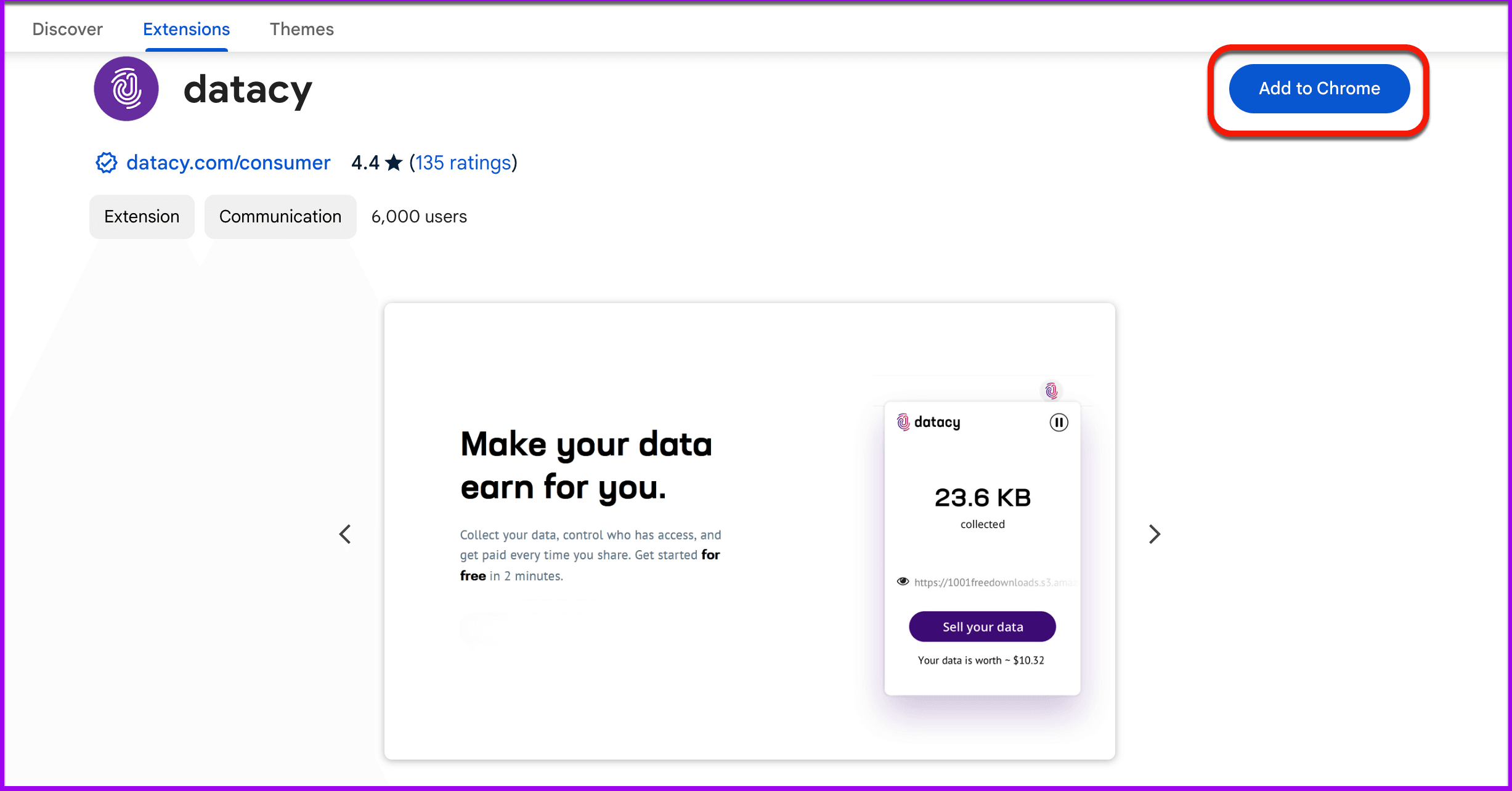
The Chrome Browser will open a new tab in the Chrome Web Store. Click on Add to Chrome to install the Surf Extension.
Step 3:
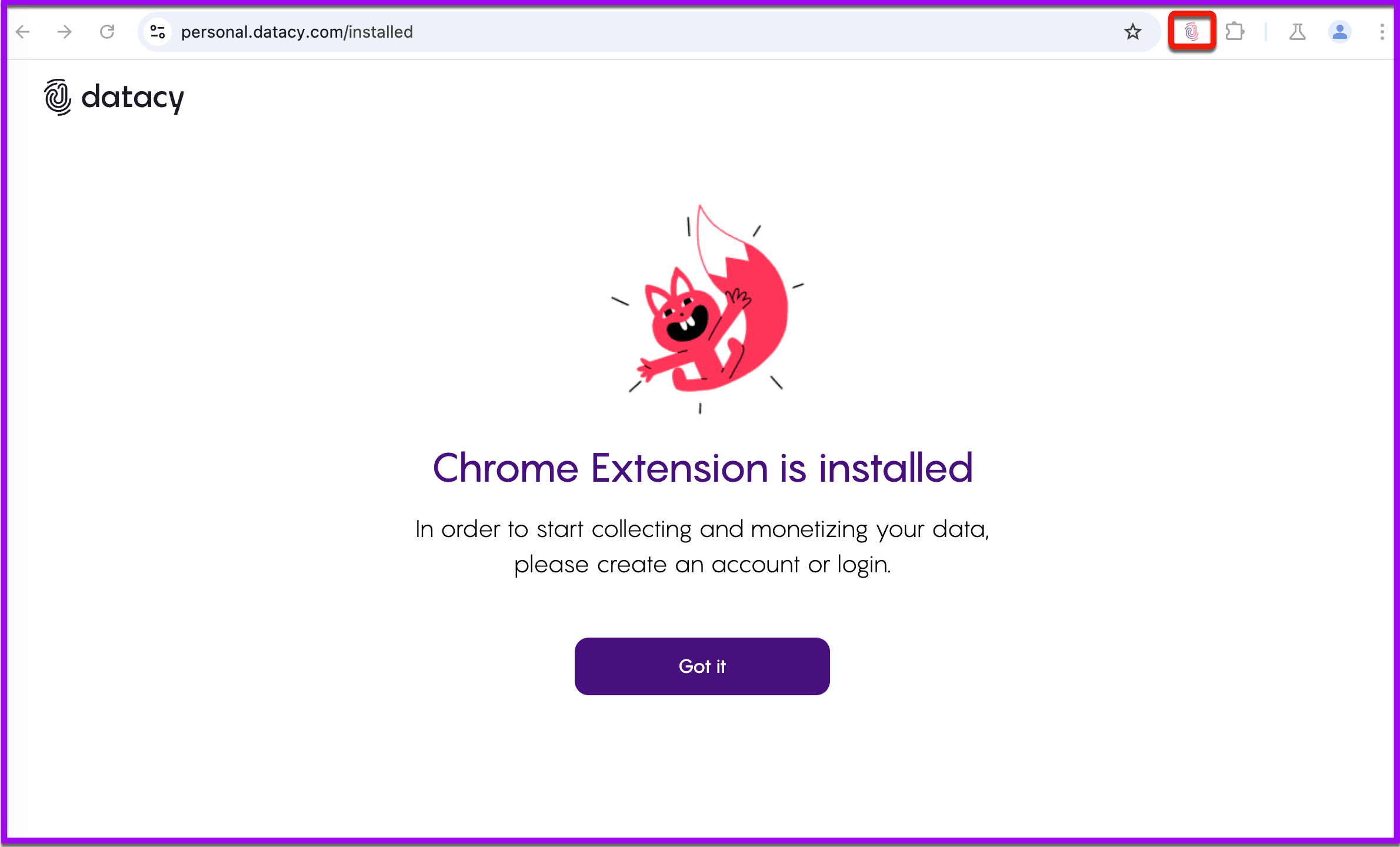
Once the Surf Extension has finished downloading. The page will be updated and you will be able to see the Surf Extension Icon on the top-right corner of your Chrome Browser.
Step 4:
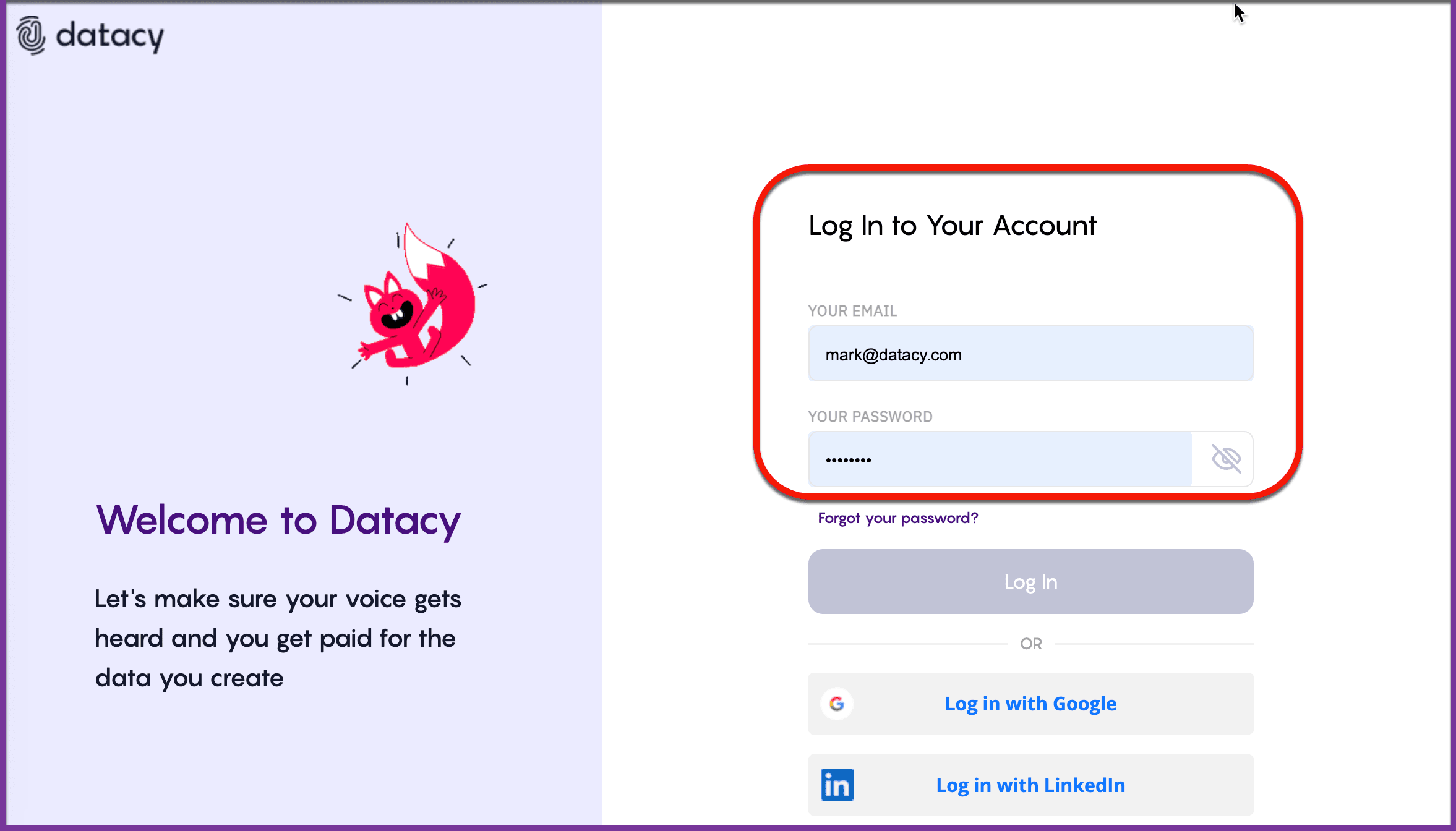
Clicking on the Icon will open the Surf Extension where you can login to get started earning, right away!
Your data is always anonymized and aggregated, safeguarding your privacy while allowing you to earn from your online browsing activities. You maintain full control over what data you choose to share, ensuring that your personal information remains secure and private at all times.
Should you have any questions or suggestions, please get in touch with the Surf Customer Support Team by sending an email to [email protected].